Portfolio builder · pre-launch
Portfolios that hit like a brick
Pick a template. Bend it until it looks like you. Publish. No code.
Build my portfolio See the templatesThe gallery
2 templates. All of them loud.
Heavy borders, flat colour, hard shadows and every layout is yours to rearrange after you pick it.
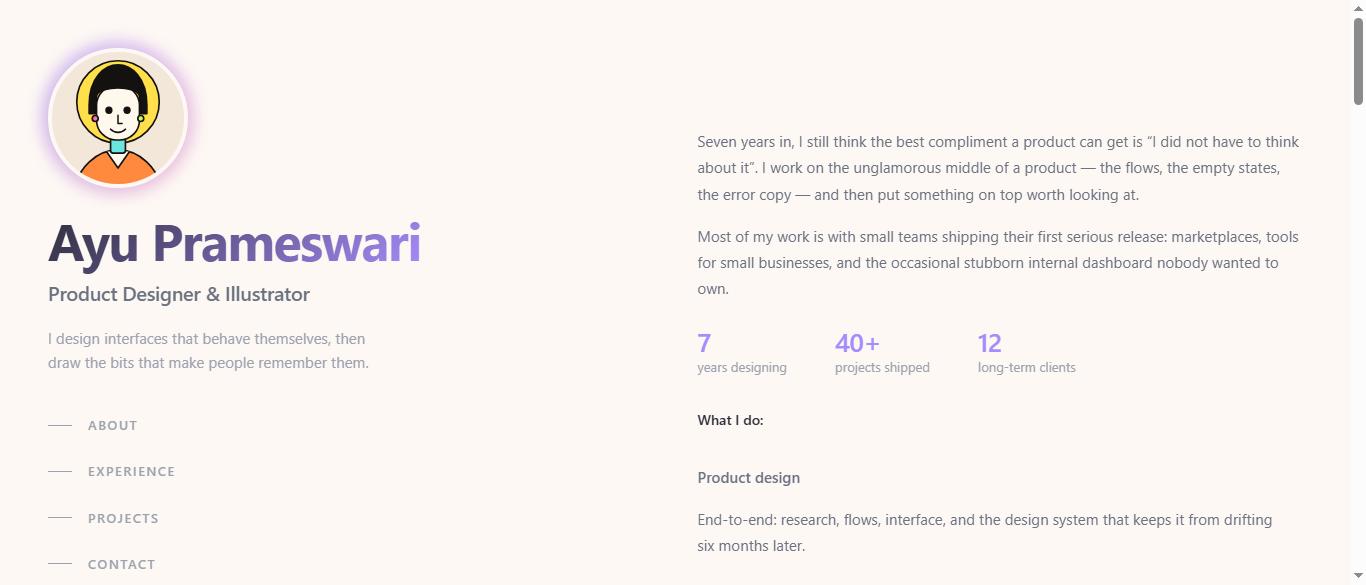
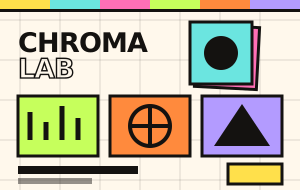
2 of these are built and previewable today open the template gallery. Switching between templates keeps your content intact.
Made to order
Digital invitations. Any style at all.
Not a template you fill in a design made for your day, with your photographs already in it, at a web address of its own. One link, sent once, opening on any phone.


Every one of these is a real invitation at its own address open one and you are looking at exactly what its guests saw. Ask about one and it is designed, uploaded and handed to your account, ready to send.
What you get, and when
Accounts that just work
Available at launchRegister, verify by email, sign in. Your drafts stay yours, protected over SSL with encrypted credentials.
Templates you can bend
Available at launchChoose a layout, then push type, colour and structure around until it stops looking like a template.
Responsive by default
Available at launchEvery template is built mobile-first and holds its shape from a 320px phone to an ultrawide display.
Animation, not decoration
Available at launchEntrance reveals, hover lifts and marquees baked into each template — and switched off for reduced-motion visitors.
Own your content
Right after launchAdd and remove projects, rewrite copy, swap images. No support ticket, no redeploy.
Share anywhere
Right after launchOne unique URL plus one-tap posting to the social platforms that actually send you clients.
Drafts & autosave
Right after launchSave half-finished ideas, come back next week, publish when it feels right.
Analytics dashboard
On the roadmapViews, likes and traffic sources for every published portfolio. Planned, not shipped.
Hover or tab onto a sticker for the detail.
Three steps, one afternoon
-
Sign up
Fill in the form, confirm the email we send you, and you are in. Takes about a minute.
-
Build it
Hit “Create Portfolio”, pick a template, then edit the text, images and layout until it is unmistakably yours.
-
Publish & share
Keep it as a draft or publish it live, then send the unique URL anywhere you like.
Where we are honestly at
Biloou is pre-launch. These are the targets we are building against — not numbers we have already hit.
6
months
Target window from kickoff to public launch.
1000
sign-ups
Registered users we aim for in the first three months.
2
templates
Neo-brutalist layouts you can use right now.
0
to start
Cost to create your first portfolio.
Not shipping: selling products or services through Biloou. It is a portfolio builder, not a storefront.
Questions, answered
What does it cost?
Creating and publishing your first portfolio is free. We are not selling products or services through the platform, so there is no storefront and no commission — just the builder.
Do I need to know how to code?
No. You choose a template and edit text, images and layout through the interface. Everything ships responsive already.
Can I change my template later?
Yes. Your content is stored separately from the design, so switching templates re-flows what you have written rather than deleting it.
Is my work safe?
Accounts are protected with email-verified authentication, traffic runs over SSL, and stored credentials are encrypted.
Will the animations annoy people?
They respect the operating system’s reduce-motion setting. If a visitor has asked for less movement, the page holds still.
What is it built with?
Native PHP and MySQL, with hand-written CSS. No heavy framework, so pages stay small and load fast on ordinary hosting.
Your work deserves better than a PDF.
Claim your name, pick a template, and put the work somewhere people can actually look at it.
Free, and you can delete it whenever you like. The same button signs you in if you have been here before there is no password to remember.